
Pointr Features
Turn Prospect Research into Sales-Ready Intelligence
Pointr turns linkedIn profiles into relevant outreach, sharper meeting prep and rich account context — all in one fast workflow
Every feature below runs from the Chrome extension while you are already on a profile, so research never becomes a separate task. Compare what is included on each Pointr plan, or read how other teams put it to work in our sales case studies.
Everything you need before outreach
Built for prospecting, meeting prep, and account research that needs to happen quickly without losing relevance.
Feature 1
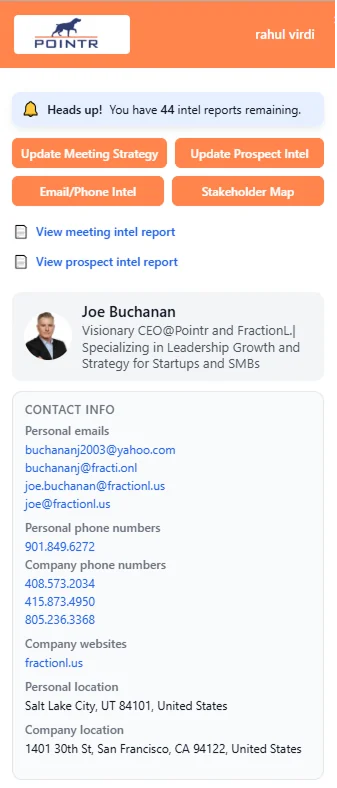
Contact discovery
Find verified emails and phone numbers from LinkedIn profiles so your next step is ready faster.
Feature 2
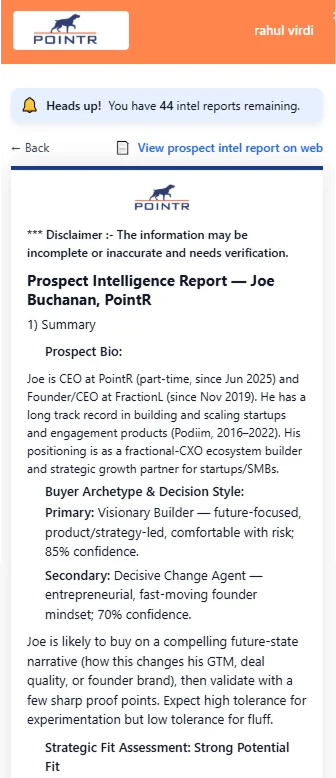
Buyer persona & engagement angle
Generate practical buyer personas, personalized icebreakers, and outreach angles for each prospect.
Feature 3
Meeting preparation
Create tailored agendas, talking points, and call strategies based on the prospect's role and context.
Feature 4
Stakeholder mapping
Map decision makers, roles, and influence across an account before important conversations.
A faster path from profile to plan
Keep the research loop simple: inspect the person, enrich the account context, then act with a message or meeting plan that already reflects what matters.
The same loop applies whether you are working a single champion or an entire committee — Gartner finds that buyers spend only a small share of the buying cycle with any one supplier, so the time you do get has to count. Our step-by-step guide to getting meetings walks through how to turn this research into booked conversations, and the FAQ covers limits, plans and privacy.
Open a LinkedIn profile
Run Pointr from the Chrome extension
Review contact data, persona, agenda, and account context
Move into outreach or meeting prep with a sharper point of view
